
Study Formula
We believe that 100% focus on individual learning development with progress tracking for every class bring the best result.
Learning Method
-
1-2 hours/class and 1-3 classes/week. Following student's interest
-
One-on-One Class Session
-
Class Location: Calgary Downtown Public Library - Private Classroom
-
100% Focus on Individual Learning Development in Robotics
-
Progress Tracking with Two-Way Feedback for Parents/Guardian

Instructor
-
Provide new contents every class, and upcoming ones on every next class.
-
Provide associated kit with content being presented. Ensure the kit works for student's best learning experience.
-
Communicate with parents/guardians. Provide student's learning progress and feedback to parents/guardians.
-
Expect feedback from students and parents/guardians for class fine-tuning and tailoring to student's interest.

Student
-
Best learning experience in every class.
-
Brings study tools to take notes and review contents at home.
-
Kits are not required to own, but encouraged to have for better learning.
-
Homework tailored to student's learning progess.

Payment Method
Choose one of the following
Pay per class session: $30/hour.
-
Session duration depending on student's interest (1-2 hours)
-
Course content per session to be provided before each next session.
Pay in full. ($30/hour x Course Duration) - Recommended
-
Session duration depending on student's interest (1-2 hours)
-
Full course content shall be provided at the beginning of the course.
Course Outline and Duration

Alvik Robot
Total hours: 44
-
Block Based Coding and Robotics
-
Onboarding
-
Hello world!
-
Race to Precision
-
Geometric Adventures
-
Celestial Choreography
-
Pathfinding Pioneers
-
Alvik Zoo
-
Sensing the World
-
Rail Adventures
-
AI Explorer
-
GameBot Challenge - Part 1
-
GameBot Challenge - Part 2
-
-
Explore Robotics with MicroPython
-
Ready - Set - Code
-
There and Back Again
-
Perimeter Scout
-
Obby Course
-
Robot Dozer
-
Need More Power
-
Colorful Reactions
-
Walk the Line
-
Follow the Leader
-
Escape Room
-
Smart Highway
-
Science Kit
Total hours: 24
-
Getting Started
-
Color and Temperature
-
The Inclined Plane
-
The Refrigerator Door
-
SMH - The Spring-Mass System
-
The Simple Pendulum
-
Magnetic Effects of DC and AC Current
-
Internal Resistance of a Battery
-
Electrical Properties of Components
-
Wave Properties
-
Wave Interference
-
Specific Heat Capacity
-
Melting Point of a Solid
-
Speed of Sound
-
Time of Flight
-
Coefficient of Restitution


CTC Go! Core Module
Total hours: 36
-
Core Modules 1 - Digital I/O
-
Getting Inspired
-
Electronics
-
Programming
-
Digital I/O
-
Finger Race
-
MiniGold (Pinball)
-
React
-
Whack a Mole
-
Core Module 2 - Serial and Analog I-O
-
Serial to PC
-
Serial to Board
-
Analog Inputs
-
Analog Outputs
-
AR Glasses
-
Crazy DJ
-
Morse Alien
-
Personal Trainer
-
Motion - Expansion Pack
-
Make Things Move
-
Circular to Linear Movement
-
Continuous Rotation
-
Gears and Pulleys
-
Wiggler
-
Rock - Paper - Scissors
-
Spin-a-Wheel
-
Wave Generator
Arduino Labs - DIY Project
Total hours: To be determined.
-
Come up with your own idea of a project
-
A hands‑on challenge where students propose their own project idea, brainstorm solutions, and build it step‑by‑step with tutor guidance.
-
Designed to spark creativity, teamwork, and real engineering skills for secondary students.
-


Greenhouse Kit
(Coming soon...)


PLC Starter Kit
Total hours: 18
-
Getting Started
-
PLC History and Present
-
Introduction to PLC IDE Programming languages
-
Modbus TCP/IP
-
DIN Celsius Temperature Sensor
-
DIN Simul8 Input Simulation and Monitoring
-
Heating resistors with two switches
-
Input Simulation & Temperature Control Loop
-
Modbus TCP/IP Network with two Opta
-
Manual Client-Server Counting with Reset
-
Automatic Slowed Counting
-
Start and stop motor with coils (Set-Reset)
-
Reversing Motor Running
-
Temporary block on forward-reverse restart
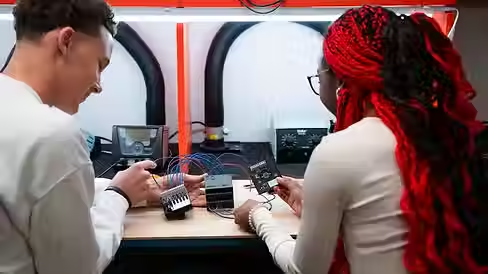

Arduino Certification
-
What you will need to study for exam
-
Electricity
-
Reading circuits and schematics
-
Arduino IDE and boards
-
Frequency and duty cycle
-
Electronic components
-
Programming logic
-
Programming language and syntax
-
Arduino Labs - Final Project
Total hours: To be determined.
-
Come up with your own idea of a project
-
A deeper, more challenging build where students propose a unique project concept, develop a full plan, and bring it to life using sensors, modules, and multi‑stage logic.
-
With tutor guidance, they transform an idea into a fully functioning system that demonstrates real engineering thinking and problem‑solving.
-
3D Printing available.
-
